Knowing the rule — 25 minutes of focus, 5 minutes of rest, a long break every four rounds — is the easy part. The hard part is the calendar: where do the pomodoros go between meetings, lunch and messages?
This article turns the Pomodoro Technique into time tables you can copy. If you are new to the method, start with the complete guide to the Pomodoro Technique: the steps and the rules are there.
How long is one set of pomodoros?
One set is four pomodoros with the breaks between them:
| Block | Length |
|---|---|
| 4 × 25 min of focus | 100 min |
| 3 × 5 min short breaks | 15 min |
| One set | about 2 hours |
| Long break after the set | 15–30 min |
That number is the key to planning: one set takes about two hours of calendar. A morning fits one set; a full day rarely fits more than three.
Example 1: a full work day
A realistic day for someone with meetings and messages: eight pomodoros of real focus, and the rest of the time left for everything else.
| Time | What |
|---|---|
| 09:00 – 09:25 | Pomodoro 1 — the most important task |
| 09:25 – 09:30 | Short break |
| 09:30 – 09:55 | Pomodoro 2 |
| 09:55 – 10:00 | Short break |
| 10:00 – 10:25 | Pomodoro 3 |
| 10:25 – 10:30 | Short break |
| 10:30 – 10:55 | Pomodoro 4 |
| 10:55 – 11:25 | Long break |
| 11:25 – 12:30 | Email, messages, meetings |
| 12:30 – 13:30 | Lunch |
| 13:30 – 15:25 | Second set: pomodoros 5 to 8 |
| 15:25 – 15:45 | Long break |
| 15:45 – 17:00 | Meetings and small tasks, grouped into pomodoros |
Put the hardest work in the first set. For most people attention is at its best early in the day, before the inbox has had its turn.
Example 2: a study day
Studying works well with three sets and real breaks away from the desk. Ten pomodoros in total:
| Time | What |
|---|---|
| 08:30 – 10:25 | Set 1: 4 pomodoros — new material |
| 10:25 – 10:55 | Long break |
| 10:55 – 12:50 | Set 2: 4 pomodoros — exercises |
| 12:50 – 14:00 | Lunch |
| 14:00 – 14:55 | Set 3: 2 pomodoros — review (flashcards, past exams) |
| After 15:00 | Rest. Ten pomodoros is a full study day |
A tip for students: use the first minute of each pomodoro to write down what you will cover in it, and the last minute to write one line about what you learned. Those lines are what you review in the next set.
Example 3: a busy day
Some days only have room for one set. It still counts.
| Time | What |
|---|---|
| 07:30 – 09:25 | 4 pomodoros on the one task that matters |
| Rest of the day | Meetings, calls, everything else |
Four protected pomodoros on a busy day beat ten interrupted ones. If the day is fragmented, even two pomodoros before lunch keep the most important task moving.
Example 4: longer blocks with 50/10
When 25 minutes ends just as you get into the work — writing, coding, deep study — switch to 50 minutes of focus and 10 of rest. The time table gets simpler:
| Time | What |
|---|---|
| 09:00 – 09:50 | Focus |
| 09:50 – 10:00 | Break |
| 10:00 – 10:50 | Focus |
| 10:50 – 11:00 | Break |
| 11:00 – 11:50 | Focus |
| 11:50 – 12:20 | Long break |
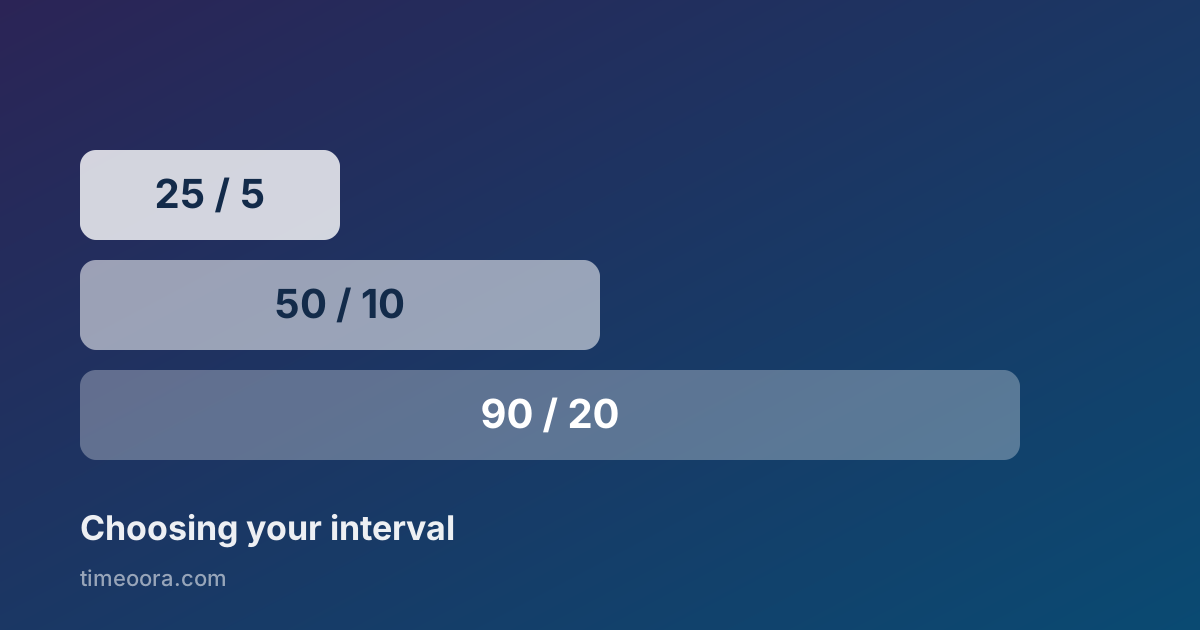
Three 50-minute blocks equal six classic pomodoros. How to choose between 25/5, 50/10 and 90/20 is covered in how to pick your timer lengths.
How many pomodoros a day is realistic?
| Kind of day | Pomodoros | Focused time |
|---|---|---|
| Busy day, many meetings | 2–4 | 50 min – 1 h 40 |
| Normal work day | 6–8 | 2 h 30 – 3 h 20 |
| Study day or deep work day | 8–10 | 3 h 20 – 4 h 10 |
| Exceptional day | 12+ | 5 h or more |
Six to ten real pomodoros is already a very productive day. If your first week gives you four a day, plan with four and grow from there: the number you actually finish is a better plan than a target you never reach.
Pomodoro time blocking: putting it in the calendar
The time tables above are time blocking with pomodoros inside. To build your own:
- Pick tomorrow's tasks before the day starts. The Eisenhower matrix helps separate the important from the merely urgent.
- Estimate each task in pomodoros, not hours. "Report: 3 pomodoros" is easier to protect than "Report: morning".
- Reserve one or two sets in the calendar — about two hours each — for the most important tasks, and mark them as busy.
- Group small tasks such as emails and quick replies into a single pomodoro instead of letting them spread through the day.
- At the end of the day, compare the pomodoros you planned with the ones you finished, and adjust tomorrow's estimate.
More on the calendar side in the time blocking method.
Run your schedule with Timeoora
Timeoora runs the cycle for you: focus, the short break and the long break every four rounds, with lengths you can change. The timer keeps counting if you switch tabs or reload the page, so the schedule can stay open in one tab while you work in another.